
In your Azure DevOps project, open Repos, then Model reviews. The page lists the pull requests, in every repository of the project, that change a Pywr model. Each row shows how many components the pull request adds, changes and removes, and your decision.
Choose what to list at the top of the page:
| List | Shows |
|---|---|
| Assigned to me | The open pull requests where you are a reviewer. |
| Rejected | The open pull requests you rejected. |
| All active | Every pull request that is still open. |
| Created by me | The pull requests you created. |
| Completed | The pull requests already merged into the target branch. |
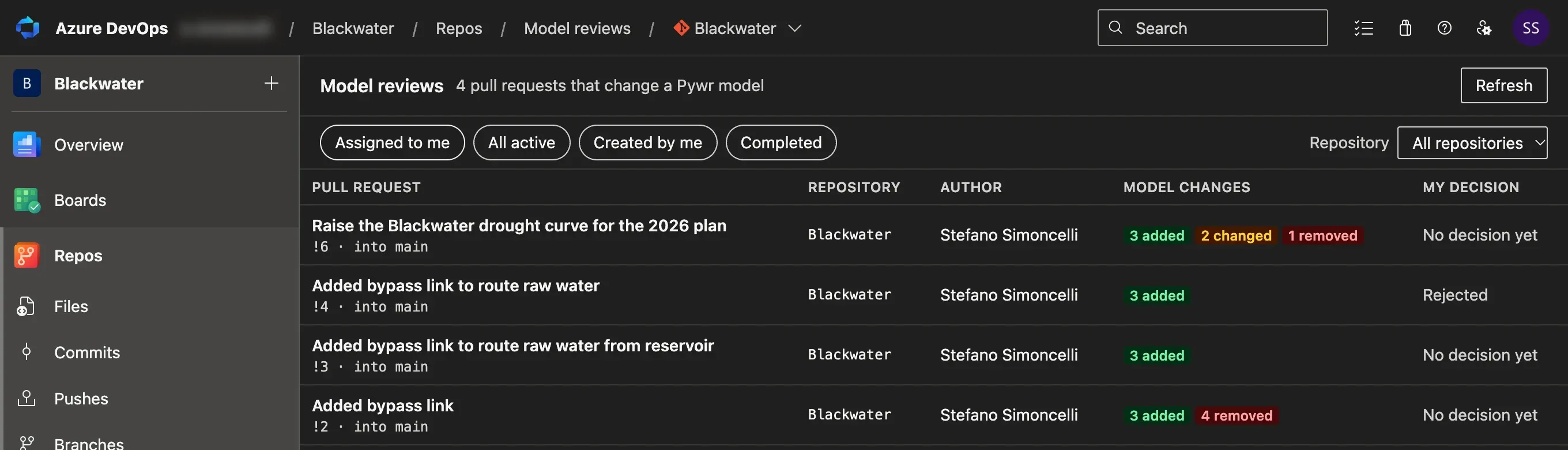
Pick a repository in All repositories to see only the pull requests of that repository. Select a pull request to open its review.
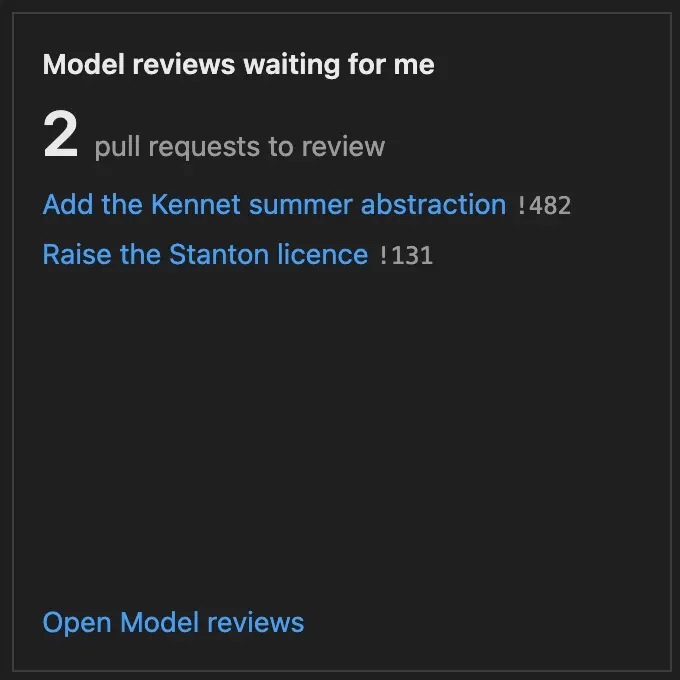
To see the count on a dashboard, add the Model reviews waiting for me widget. It lists the first pull requests waiting for you and links to the Model reviews page.
Pywr for VS Code and Pywr for Azure DevOps are developed and maintained by Stefano Simoncelli.